Produce a Summary Invoice
Click this image to view a video of this topic:

This will produce an Invoice for all the Jobs in the given period for one customer.
To run the report for several customers use the Batch Report Manager instead.
To run the report for one customer
| • | Select a Customer onto the Main Form |
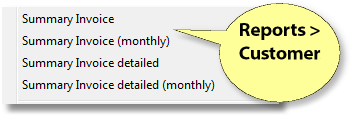
| • | Choose Report > Customers > Summary Invoice |
Enter the First Date of the period to run the report for
Enter the Last Date of the period to run the report for
or
Enter the Period to use, in the case on the monthly version of the report
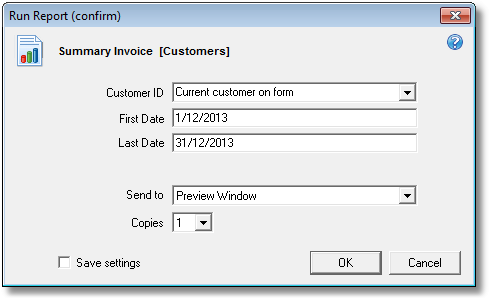
Choose OK.

Patient Names configurable option through the customer's details page - where you can add a tag to "Do not print patient name on invoice or statement".. Another option is to just use Patient References which is sometimes preferred by organisations such as hospitals.
Click this image to view a video of this topic:
This will produce statement of account for the given period for one customer. To run the report for several customers use the Batch Report Manager instead.
| • | Select a Customer onto the Main Window |
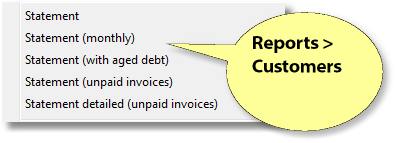
| • | Choose Report > Customers > Statement |
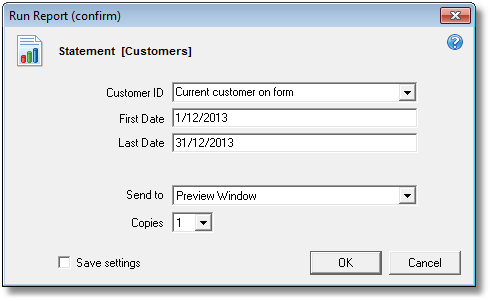
Select the Customer ID to run the report for, or use the current customer on the main form
Enter the First Date of the period to run the report for
Enter the Last Date of the period to run the report for
Example
Customer: 455 First Date: 1 sep Last Date: 30 sep

Comments
This report includes a mini summary with total Debits and Credits for the period so it's possible to see the job total. Includes a Remittance slip. A 'Prompt payment incentive message' is automatically printed if the Customer has a non-zero Order Discount % and Early Pay %. Both of these can be set on the customer's details page.
This report example does not have an aged debt summary as this is provided on the Statement (with aged debt) and Statement (unpaid invoices) reports.

Also see